
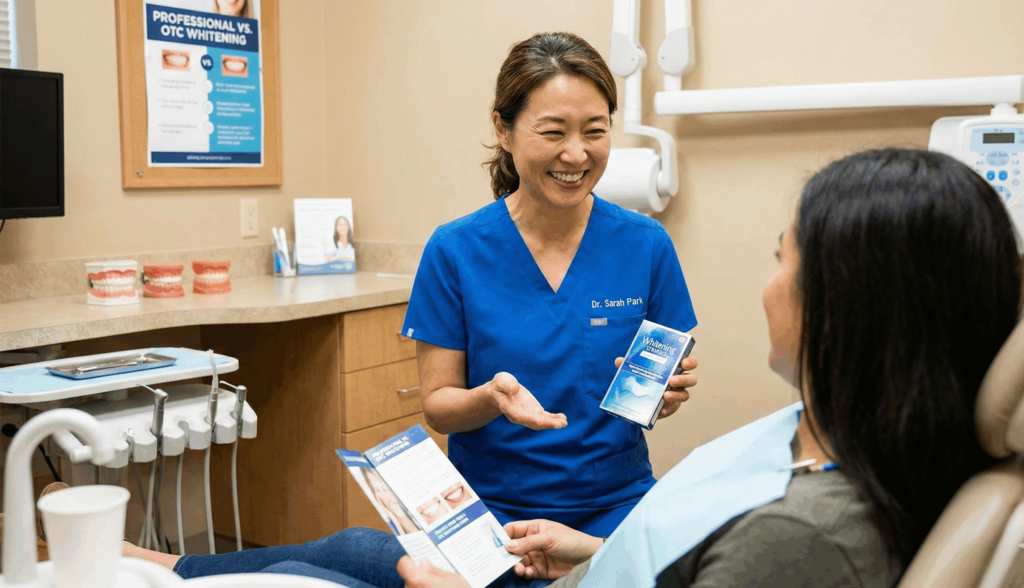
Over-the-counter whitening kits can work, but results are usually modest and not always predictable. The biggest differences come down to the strength of the whitening ingredient, how well the product fits your teeth, and whether you have sensitivity, gum recession, or dental work that will not change color.
At 2nd Ave Family Dental in Durango, we take a comfort-first approach. Before we recommend whitening, we check the common things that affect results and comfort, like enamel wear, gum irritation risk, dry mouth, buildup, and any teeth that may need restorative care first.
Want to explore whitening as a service? Start here: Teeth Whitening. For broader smile improvements, see: Cosmetic Dentistry. If a tooth needs repair before whitening, restorative care may be the better first step: Restorative Dentistry.
What Counts as “Over-the-Counter Whitening”?
Over-the-counter whitening usually means products you can buy without a dental visit. The most common types include whitening strips, whitening gels with a generic tray, whitening pens, and whitening toothpastes.
Whitening strips: Thin strips with peroxide gel that stick to the front surfaces of teeth.
One-size trays or mouthpieces: A tray filled with gel that sits on teeth. Fit varies a lot from person to person.
Whitening pens: Small brush applicators. Convenient, but coverage can be uneven.
Whitening toothpaste: Helps remove surface stains, but does not “bleach” teeth the same way peroxide products can.
If you have not had a recent checkup, this is a smart starting point before any whitening: Dental Cleanings and Exams.
Watch: Over-the-Counter vs Professional Whitening
This video compares store-bought whitening with dentist-supervised options and explains why two people can have very different results using the same over-the-counter product.
Helpful mindset: over-the-counter whitening can be a decent starting point for mild staining, but it is not always the best match for sensitivity, uneven color, or more stubborn discoloration.
So, Are OTC Whitening Kits Effective?
Yes, many over-the-counter whitening kits can brighten natural teeth, especially if your discoloration is mostly from everyday staining (coffee, tea, red wine, or tobacco). But “effective” depends on what you mean by effective.
When OTC whitening tends to work well
Mild yellowing or surface stains, good enamel health, and low sensitivity risk. Strips are often the most consistent OTC option when used correctly.
When results are usually limited
Deep internal discoloration, uneven color, significant enamel wear, and situations where the product cannot sit evenly on the teeth.
What most people notice
A gradual change over days to weeks, not an instant dramatic change. Many people see a small shade improvement, then hit a plateau.
Why outcomes vary so much
Peroxide strength, contact time, fit, saliva flow, and user habits all change the final result.
Important note about crowns, veneers, and fillings
Whitening changes natural tooth enamel. It does not change the color of crowns, veneers, or tooth-colored fillings, so planning matters for an even look.
If you are exploring other cosmetic improvements, these may help: Dental Bonding and Dental Veneers.
Watch: Do Whitening Strips Actually Work?
This video breaks down why some whitening strips work better than others, what ingredients matter, and where people often go wrong (which can lead to sensitivity or gum irritation).
Practical tip: more gel is not better. Overuse is one of the fastest ways to create “zingers” and irritated gums.
What Actually Determines Whether an OTC Kit Will Work for You
Here are the big “make or break” factors we look at when a patient asks us if store-bought whitening is worth trying.
Type of stain: Surface stains respond better than deep internal discoloration.
Peroxide contact time: Whitening is chemistry plus time. Short contact time often means smaller results.
Fit and coverage: If strips or trays do not sit evenly, you can get uneven whitening or gum irritation.
Enamel and sensitivity risk: Thin enamel, recession, dry mouth, and existing sensitivity can make OTC whitening uncomfortable.
Dental work in the smile zone: Crowns and fillings will not match if your natural teeth lighten around them.
Watch: Why OTC Kits Can Irritate Enamel and Gums When Misused
This reel highlights a real concern we see: some over-the-counter kits are used too often or placed in a way that exposes the gums to whitening chemicals, which can lead to irritation.
If whitening has ever made your teeth feel sharp or “zingy,” it is worth pausing and getting guidance. A small change in method or pacing can make a big difference in comfort.
Step-by-Step: How We Help You Choose the Right Whitening Path at 2nd Ave Family Dental
The safest whitening plan starts with a quick assessment. That is how we protect your comfort and avoid wasting time and money on the wrong approach.
Exam and shade check
We check teeth and gums, note your current shade, and confirm whitening is appropriate for your goals.
Identify sensitivity and gum risk
We look for recession, enamel wear, dry mouth, and areas that could flare up with whitening.
Check for dental work that will not whiten
If you have visible crowns or fillings, we plan so your final smile looks even and natural.
Match your timeline and comfort level
We help you choose between in-office, dentist-supervised take-home, or a carefully chosen OTC option.
Set safe expectations
We explain what kind of improvement is realistic for your stain type and starting shade.
Plan for maintenance
We share simple habits that help whitening last longer, like cleaning cadence and stain prevention.
Best first step for many patients: Dental Cleanings and Exams.
Watch: Does Teeth Whitening Damage Your Teeth?
This video focuses on safety and explains why whitening can be safe when used correctly, and why overuse or poor technique can cause sensitivity and irritation.
Bottom line: whitening should feel manageable. If it hurts, something is off with the product, fit, frequency, or your underlying dental health.
Professional Whitening vs Store-Bought Whitening (Simple Comparison)
Both paths can brighten teeth, but the experience, predictability, and comfort can be very different.
| Option | Best for | Why patients like it | Tradeoffs to know |
|---|---|---|---|
| In-office whitening | Faster results with professional oversight | Quick improvement, controlled process, guided comfort steps | Higher cost and not ideal for every sensitivity profile |
| Dentist-supervised take-home | Steady whitening with more flexibility | More customized pacing, often a good fit for sensitive teeth | Takes longer and requires consistency at home |
| Over-the-counter kits | Mild improvement on a tighter budget | Easy access, low initial cost | Less predictable, more irritation risk if misused, can be uneven |
Explore cosmetic options here: Teeth Whitening, Dental Bonding, Dental Veneers.
Watch: Should You Use At-Home Whitening Kits?
This reel gives a simple dental perspective on when an at-home kit can be reasonable, and when professional whitening tends to be the safer, more effective choice.
If you are on the fence, a quick whitening consult can save you from trial-and-error. We can help you pick a path that fits your teeth and your comfort.
Does OTC Whitening Hurt? What Sensitivity Usually Means
Over-the-counter whitening should not feel truly painful. But temporary sensitivity is common, especially when people whiten too often or have exposed root surfaces from gum recession.
Sensitivity is a signal: It often means the whitening is too aggressive for your teeth or too frequent for your enamel right now.
Gum irritation is preventable: Gel belongs on teeth, not gums. Fit and placement matter.
Existing issues can make whitening uncomfortable: Cavities, cracks, recession, and enamel wear may need to be addressed first.
Slower can be smarter: A dentist-guided plan can whiten more gently and still deliver a noticeable result.
If you deal with sensitivity regularly, a checkup is a smart first step: Dental Cleanings and Exams.
Watch: Are At-Home Kits as Effective as Professional Whitening?
This reel answers a common question directly: over-the-counter whitening can help, but it is usually not as fast or as effective as professional whitening.
Planning tip: if you have a big event coming up, professional whitening can be a better choice because the timeline and outcome are more controlled.
Common Questions Patients Ask About OTC Whitening
These are the questions we hear most often. If your situation is different, that is normal. We will personalize recommendations based on your teeth, your goals, and your comfort.
How long does an OTC kit take to show results?
Most people need consistent use for days to weeks. Faster is not always better if you are prone to sensitivity.
Can OTC whitening damage enamel?
Used correctly, whitening is often safe. Overuse and poor technique can increase sensitivity and irritate gums, and that is where problems can start.
Why do my teeth look uneven after whitening?
Uneven strip placement, uneven stain patterns, dehydration, and existing dental work can all create a “patchy” look.
Should I whiten if I have crowns or fillings in front?
Whitening will not change those. We can help you plan so you do not end up with a mismatched smile.
What is the best next step if I want a clear answer fast?
Schedule a quick evaluation. We can tell you if OTC whitening is worth trying, and if not, what option will be more predictable for your teeth.
If you want help choosing the right option, start here: Contact the Office.
What You Should Take Away From This
Over-the-counter whitening kits can be effective for the right person, but they are not one-size-fits-all. If you want results that are more predictable (and usually more comfortable), professional guidance is often the difference.
OTC whitening can work for mild staining. Strips often perform better than random kits because coverage is more consistent.
Comfort matters as much as shade. Sensitivity and gum irritation are the biggest reasons people quit or regret whitening.
Dental work will not lighten. Crowns and fillings keep their color, so planning prevents an uneven final look.
A short visit can save you trial-and-error. We can recommend a safer, more effective plan based on your teeth and your goals.
Want Whitening Results That Feel Safe and Predictable?
If you want a brighter smile without the guesswork, we can help you choose the right whitening option for your teeth and comfort level.
We will evaluate your smile, explain options in plain English, and help you avoid the common mistakes that lead to sensitivity and uneven results.
Schedule a Whitening Consultation